


Visibility Platform
C-View: See the full story of your supply chain
C-View connects shipments, bookings, purchase orders, materials, invoices, and documents in one client visibility platform—so every team can move from a high-level signal to the records behind it.
Connected records · Exception visibility · Operational analytics
One connected view of the supply chain
Move from a high-level signal to the records behind it without rebuilding context. C-View connects orders, shipments, billing, documents, performance, and emissions data so teams can drill from dashboards to the operational records that explain them.
- OrderPurchase orderPO line items and suppliers
- MaterialsMaterial receipt + Packing listReceipts, cartons, pieces, and references
- MovementShipmentMode, milestones, and route context
- Billing + filesInvoice + Supporting documentsCharges, invoices, and supporting documents
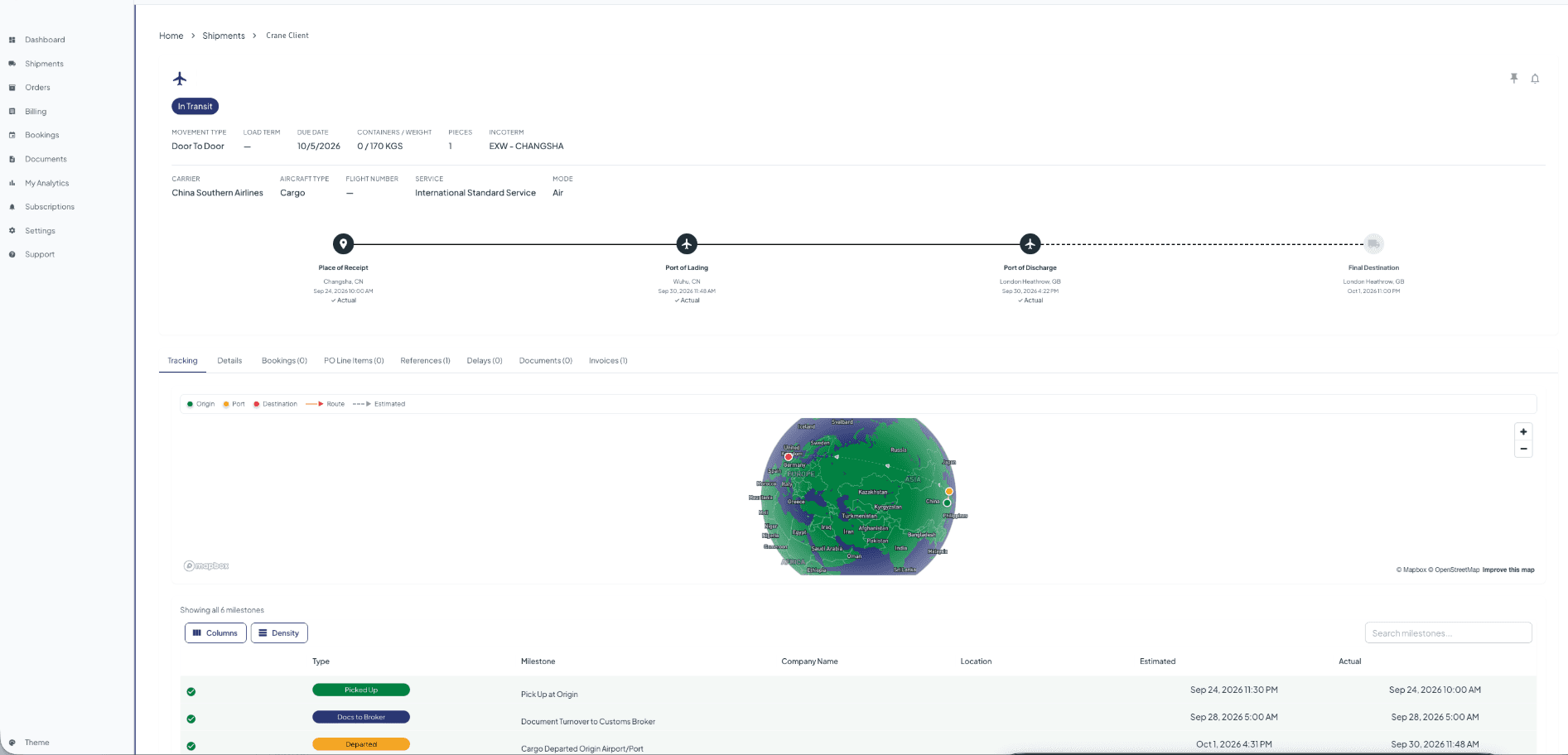
Milestones in their full business context
Answer where the freight is, what it is tied to, and what needs attention from one connected view. Shipment detail combines delivery status, milestone timestamps, route context, carrier information, and links to Bookings, PO Line Items, Containers, References, Delays, Documents, Invoices, and CO2e.
Go from a number to the right record
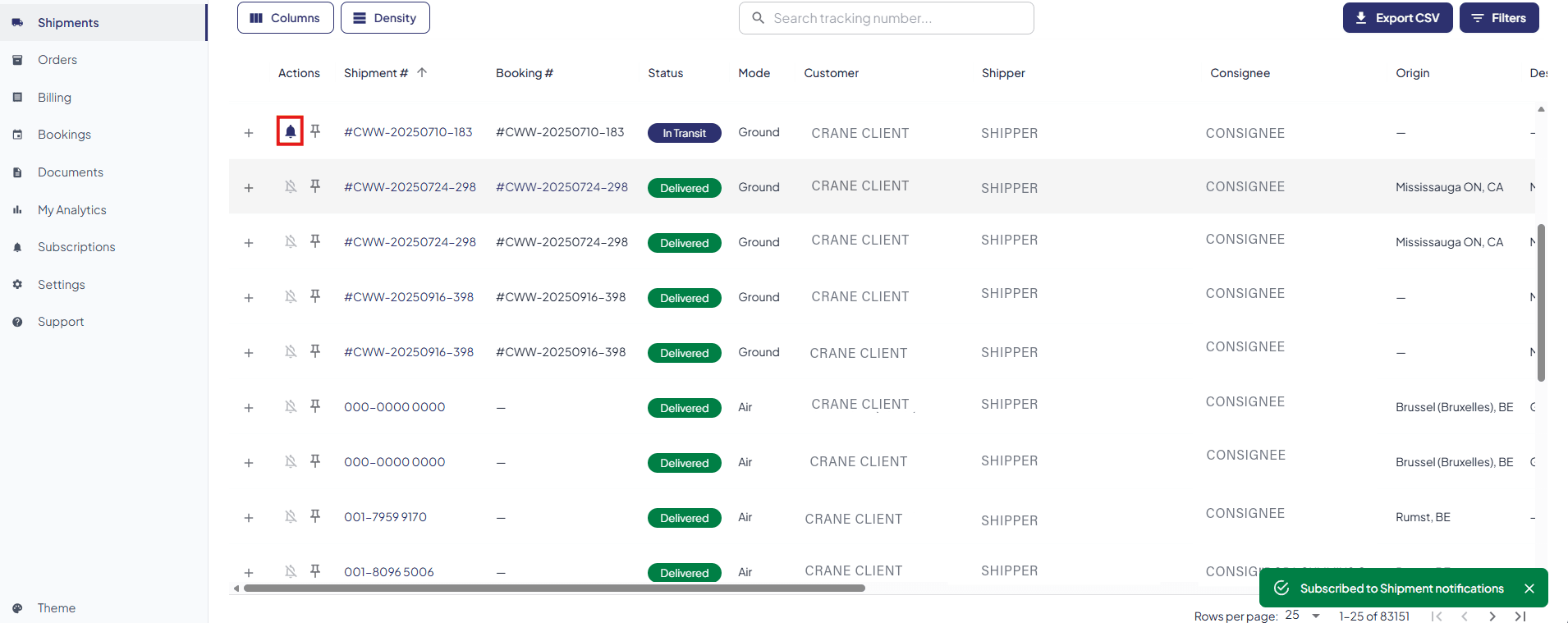
Saved views, configurable columns, filters, export controls, and global search keep repeat workflows efficient. Search spans major C-View entities and groups results by record type, helping teams go from “I have a number” to the right record without guessing which module to open.
Connect purchase orders to fulfillment
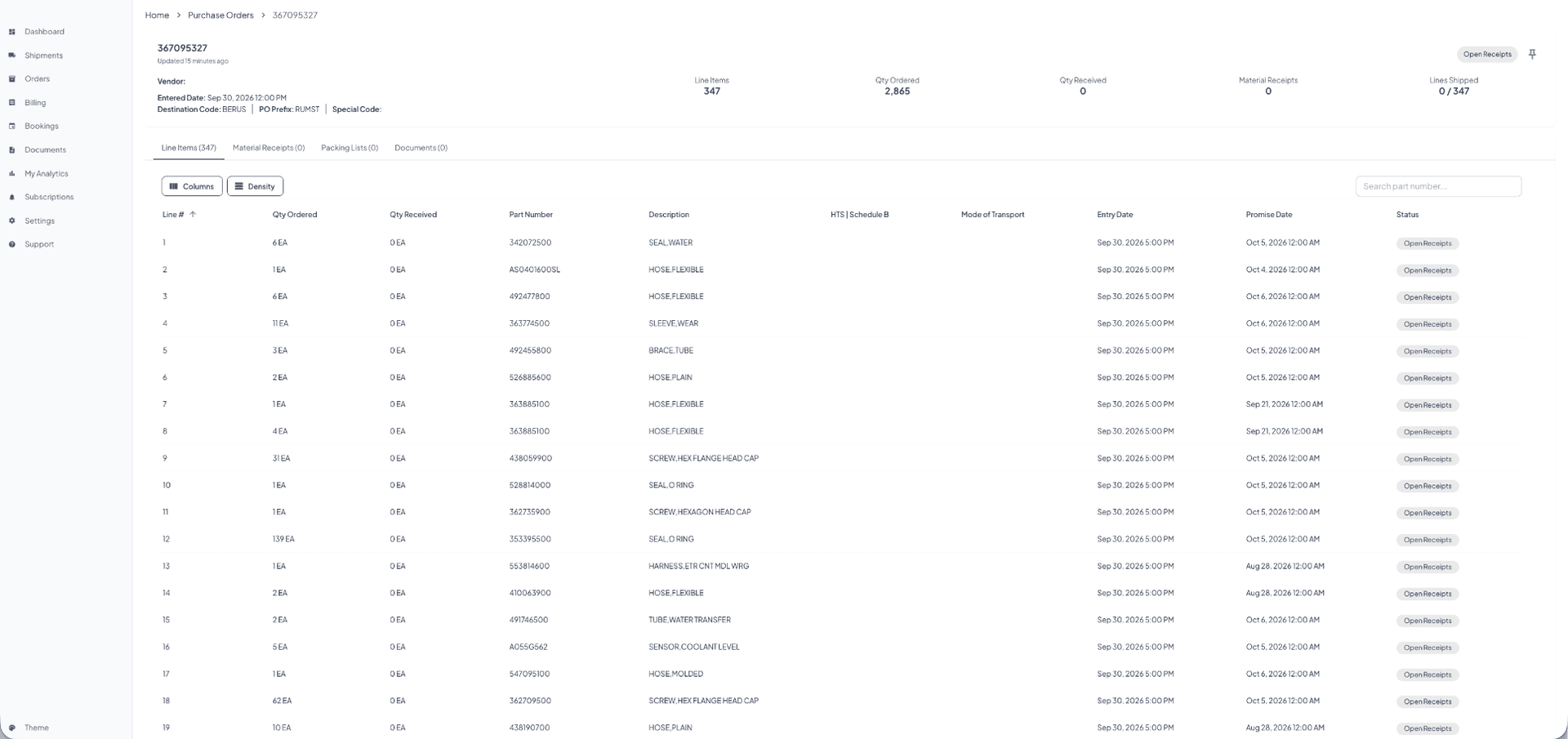
Give procurement, warehouse, and logistics teams the same source of truth from PO through receipt. Purchase-order detail connects line items and quantities with material receipts, packing lists, suppliers, destinations, and the shipments fulfilling each order.
See how C-View connects your supply chain records
Follow shipments, orders, materials, invoices, and documents from one connected platform.
Turn logistics activity into financial insight
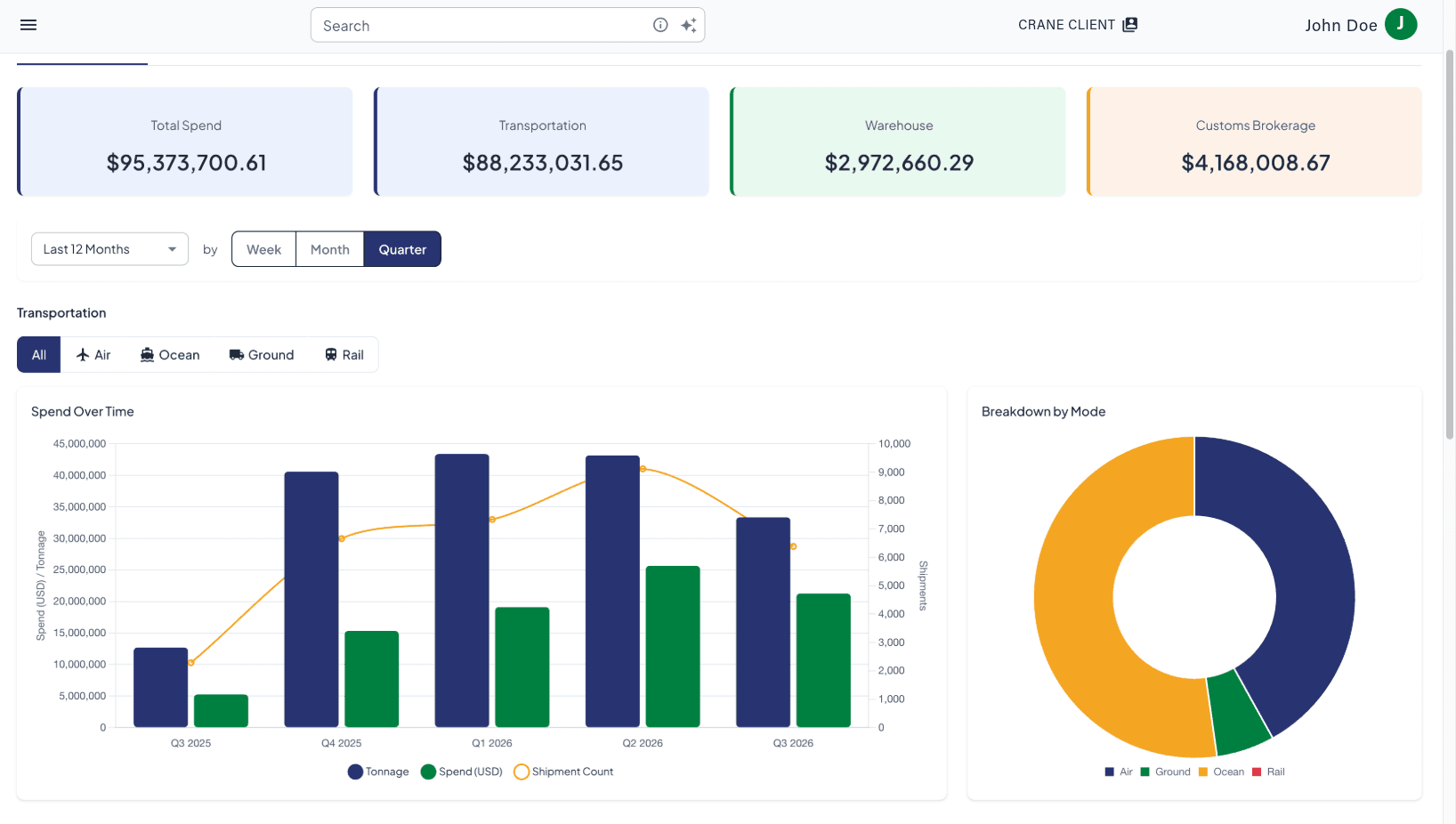
Reconcile spend with the freight and documents that generated it. Billing views connect invoices and charges to operational records, while dashboards summarize total, transportation, warehouse, and customs brokerage spend with trends over time and breakdowns by transport mode.
Report emissions against actual freight movement
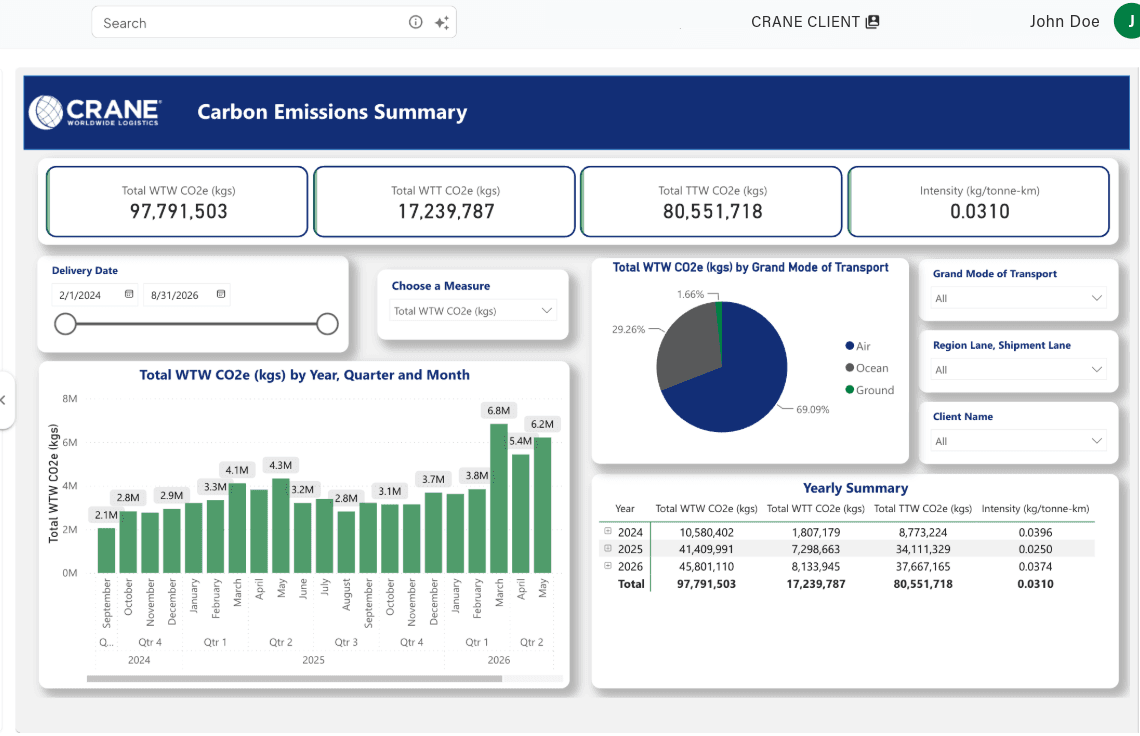
Support ESG tracking with emissions reporting tied to actual freight movement. Analyze Well-to-Tank, Tank-to-Wheel, and total Well-to-Wheel CO2e at shipment and portfolio level, including CO2e intensity per tonne-kilometer, transport-mode comparisons, trends, and yearly summaries.
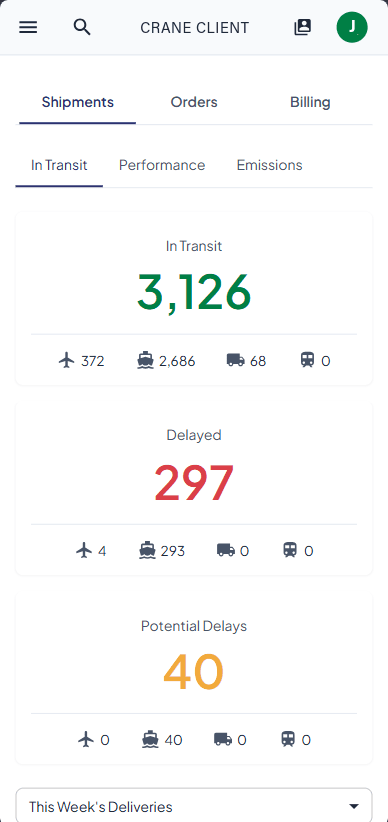
Visibility wherever the work happens
Keep essential shipment volumes and exception signals accessible away from a desk. The responsive dashboard lets teams review in-transit freight, confirmed delays, potential delays, and the transport modes behind each total from a compact mobile view.
Access designed around each client's organization
Give each team access to the connected records and reporting needed for its role while keeping sensitive areas appropriately restricted. Client administrators can manage routine access changes directly within the platform.
Self-service user management
Create, deactivate, and update user access without a routine provisioning ticket.
Role and module permissions
Limit Bookings, Orders, Shipments, Billing, Emissions, and My Analytics by responsibility.
Sub-account visibility
Scope access to the appropriate business unit, brand, region, or account group.
Report-level access
Control which embedded My Analytics reports each user can open.
Related Technology
Connected platforms and programs
Other Crane technology products that complement this platform.

Warehouse Management
Crane WMS
Warehouse Management System (WMS) capabilities supporting inventory visibility, receiving, putaway, picking, packing, and outbound operations.
- Inventory visibility
- Warehouse workflows
- Inbound and outbound operations

Integrations
Developer Portal
Application Programming Interface (API) and Electronic Data Interchange (EDI) connectivity for real-time visibility, document exchange, and automated data integration.
- API access
- EDI messaging
- Real-time data